To order a report in ProSearch, please go to the Dashboard/ ProSearch and start by selecting a database.
For doing this, you can either start typing the database name directly into the Database string or, in order to see the full list of available sources, please click the green icon on the right of this string:

Here you can choose between two options for trademarks:
- Packs that contain combinations of sources
- Trademarks that list single databases.
Moreover, depending on your subscription configuration, there are tabs for Common Law sources (Business names, Domains, App names), and/or Pharma sources
In the pop-up window, tick the necessary databases and click on the "Apply" button (see below):

If you would like to pre-save a certain configuration of databases, this can be done with the Custom Pack option.
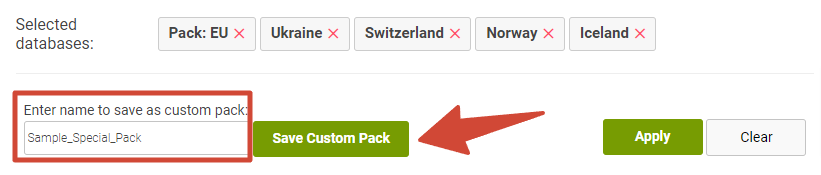
For that, please select the necessary databases/sources, and then at the bottom of the popup window, enter the name of the pack, and click on the "Save Custom Pack" green button:
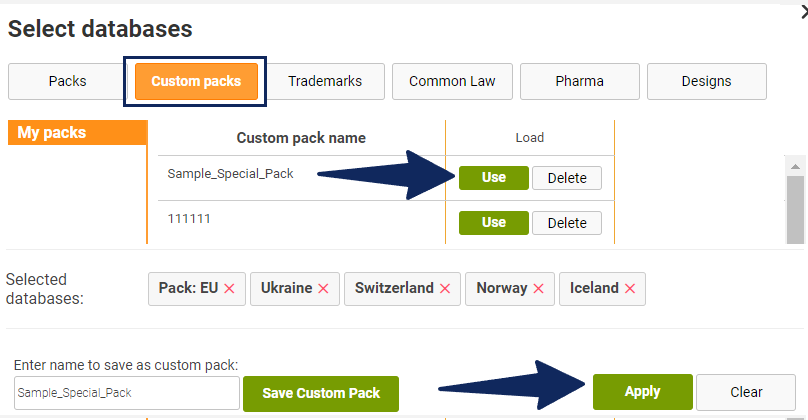
To select one of your pre-saved packs, please go to the Custom Packs tab and click the "Use" button next to a necessary pack. Then, click the "Apply" button: