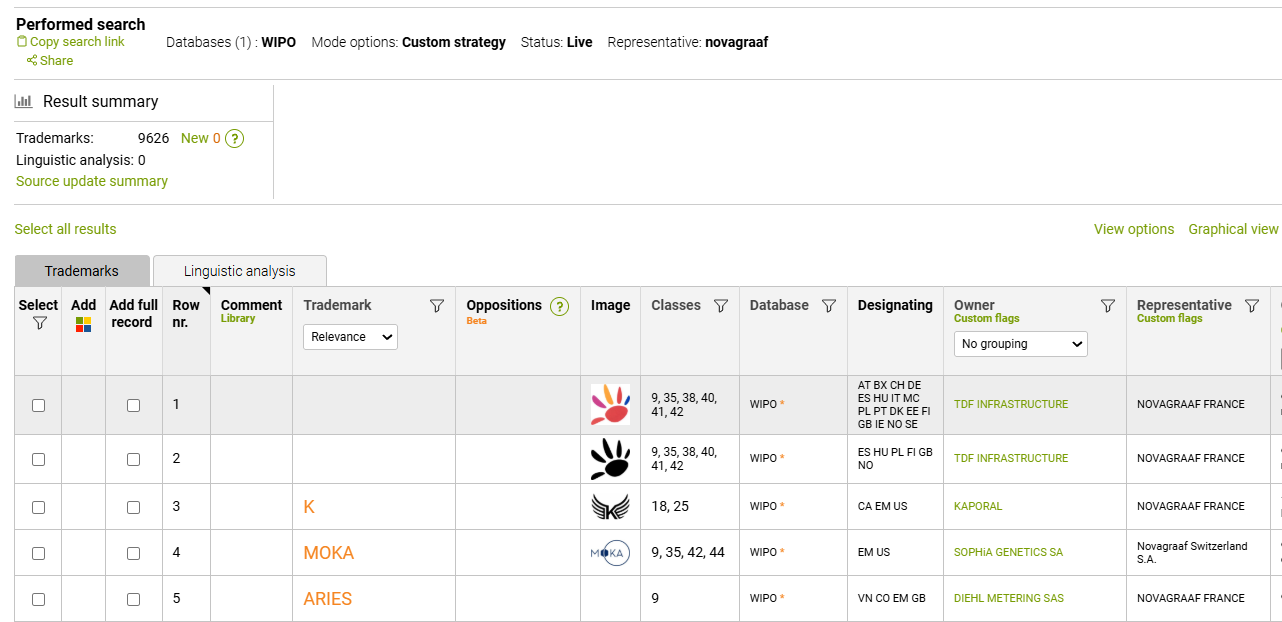
Using the Owner search string, you can retrieve the whole trademark portfolio based on the Owner name.
If you are looking up just one name, the easiest way to use is by simply typing it into the search string, and the search will return all "term included'' results:

For example, for Questel search, the tool returns Questel Inc, Questel SAS, Questel Orbit, Inc and other results:
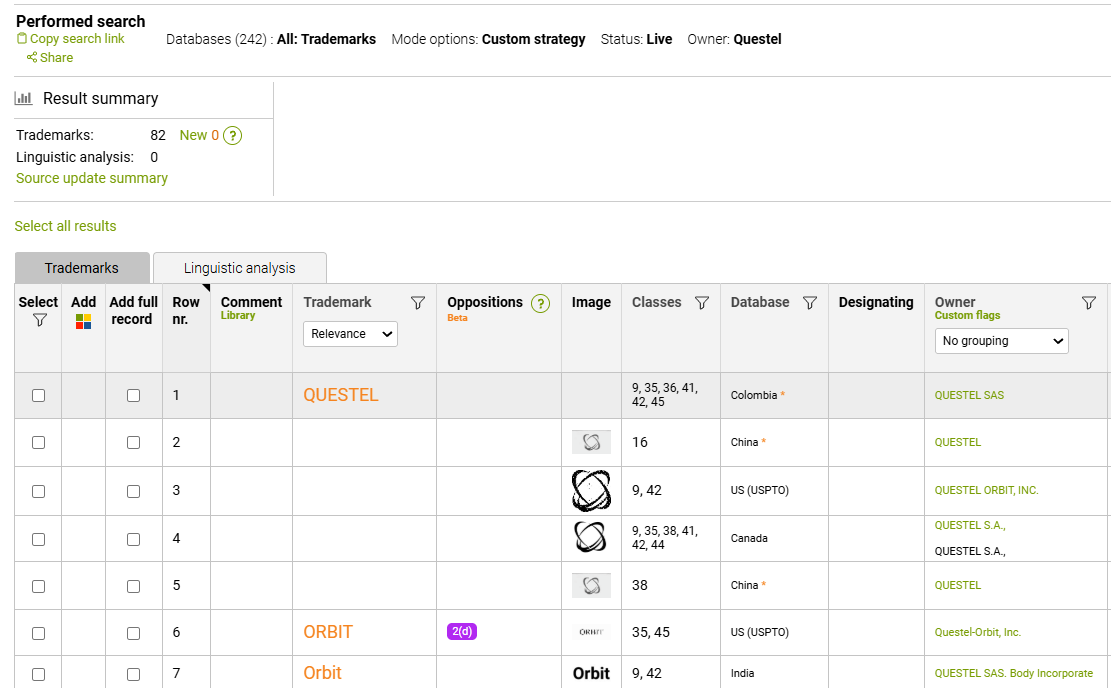
Please keep in mind that it is a purely text-based search that ProSearch performs today, without the cross-entiry or subsidiary knowledge.
This way, searching for Questel SAS will not retreive Questel-Orbit Inc.
Because of that, our recommendation for Owner or Representative searches is to use all of the variations that you find relevant.
A simple alternative search can be built using the following pattern:
(Company name 1) OR (Company name 2) OR (Company name 3)
Below you can see an example of such search:
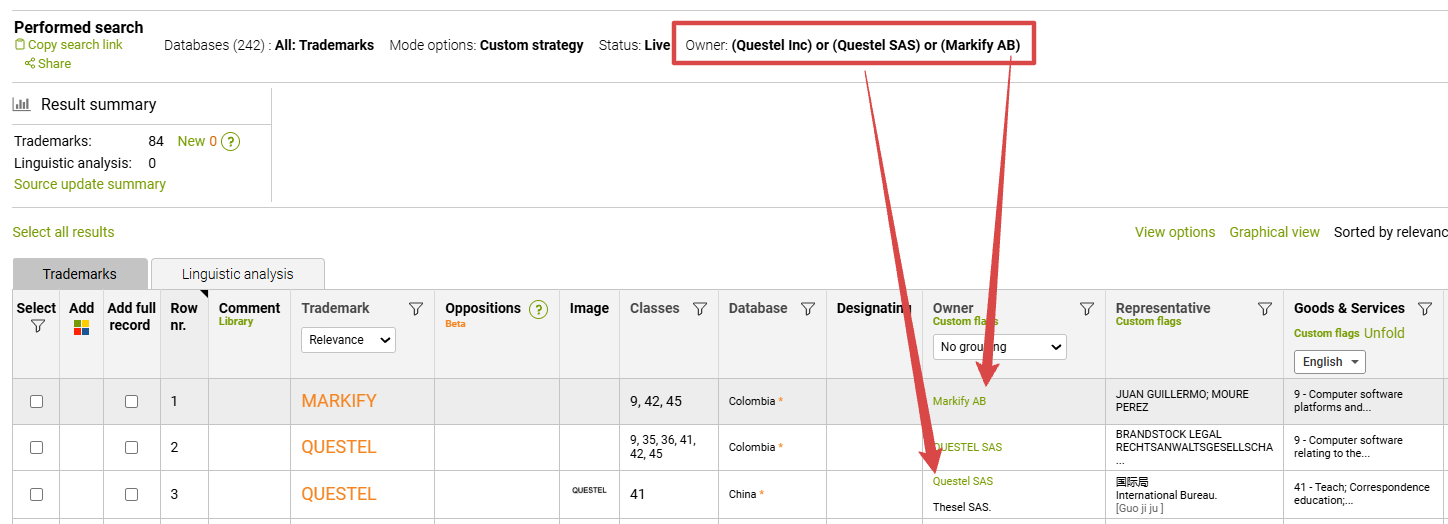
If you would like to build a more complex search with multiple operators, we recommend using the pop-up menu

There you can search for Owner names that include/exclude the keywords that you type in, or include the exact phrase, or any of the words.
Moreover, you can limit this input by an address.
Using the Representative/Correspondent search string, you can identify trademarks with specific legal representatives.
Here you can also type in the name directly into the search string, for retreiving "term included" types of results:

Or you can use the pop up window for advanced options:

Please keep in mind that similarly to the Owner search, the results set is based on the exact wording used in the TM record: