
This article describes the necessary steps for activating your TM monitoring (after entering watch parameters that are covered by previous articles here)
TABLE OF CONTENTS
Watch free trial
If you are authorized for a free trial, this setup process does not actually suppose any extra steps for activation.
You only need to configure the watch parameters (with at least the three mandatory criteria: name, database, and classes), and your watch will be activated automatically.
Please see below, this is a watch on a free trial that is NOT activated - the red warning in Order column specifies that missing parameters must be added:
And a screenshot below shows and ACTIVE free trial watch, after parameters have been added:

Watch subscription
For paid subscription, please do the following:
Add marks to the cart (you can do this by clicking the “Add to cart” buttons individually, or using the “Add all to cart” button at the top)

Go to the checkout menu - for that, please click on the cart icon at the top of the page

Before making your first purchase, it is required to fill in your billing information at the right screen menu (note this is still a required step even if provided earlier by contract)
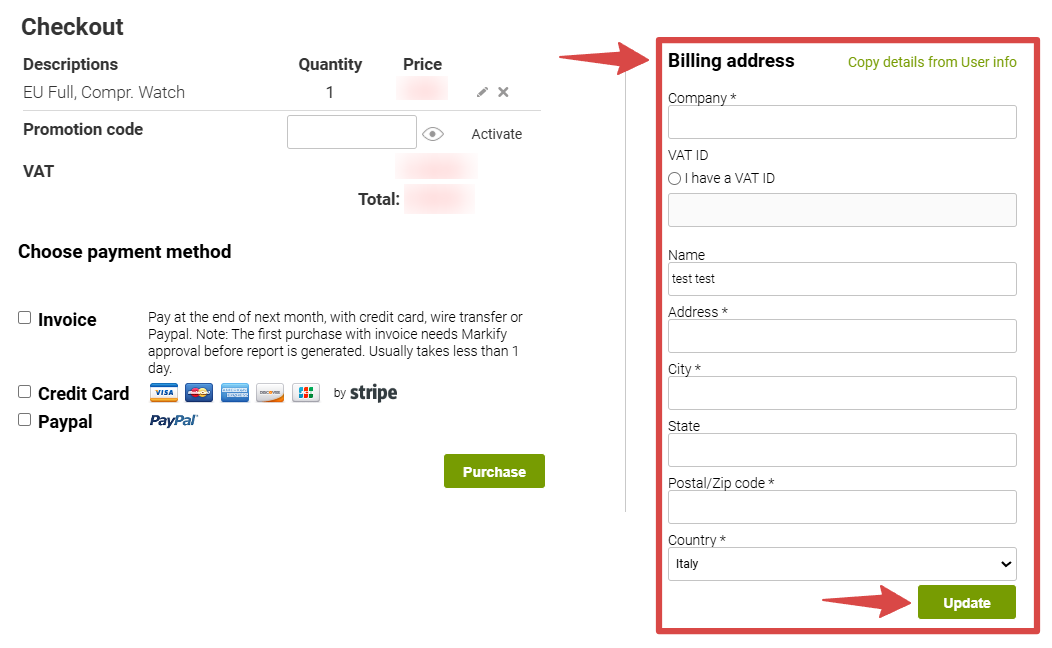
After that, you can proceed with using one of the following payment methods:
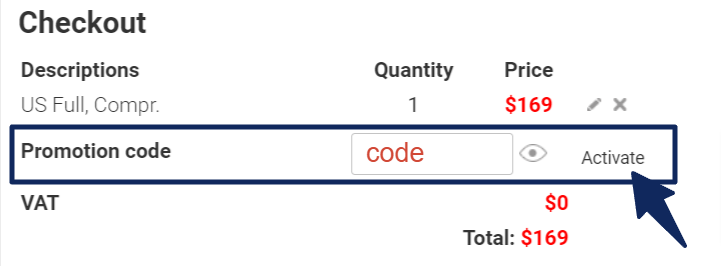
a) Invoicing: If you prefer to be billed monthly and you already have a Master code, please put it to the Promotion box and click on “Activate” to the right:
To request a Master code if you do not already have one, you can tick the Invoice checkbox and click on Purchase.
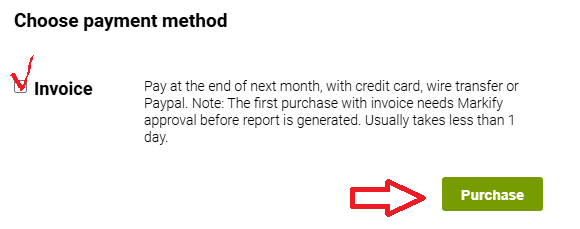
Our support team will create the code and email it to you
Master code is reusable so you can apply it multiple times for all your future purchases.
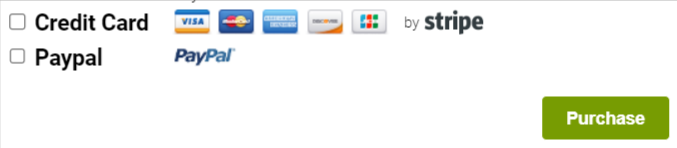
b) You can pay with your Credit card or Paypal. Tick the necessary checkbox, click on Purchase, and you will be transferred to the respective payment website to complete the payment:
5. After Watch activation, you will be returned to the “Manage” page, and a “Successful update of N marks” notification will appear in the top right corner of your screen:
