
Please note this functionality is only available for Daily watch users
Custom statuses work as color tags with set labels/names, allowing to specify workflow stages, taken decisions, or other conclusions upon reviewing the results that can be grouped logically.
By default, there are statuses New, Action, Inform, Discard, and Investigate that are available for use:
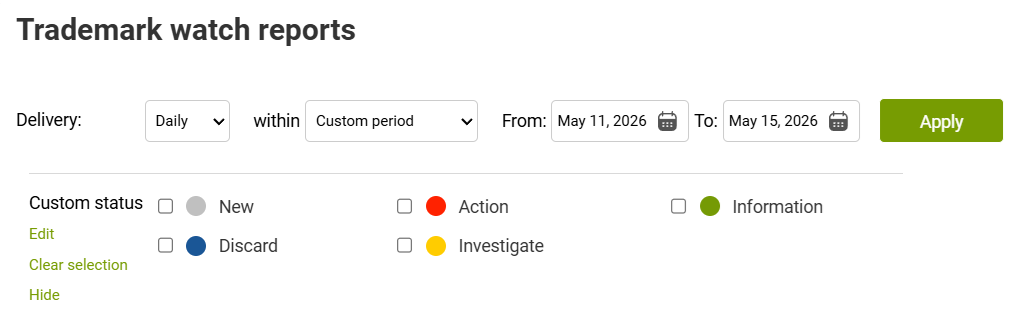
Ticking the checkboxes associated with a respective Custom status works as a filter for your report, e.g. if you tick "Action" status, your report will only reflect results that were already assigned this status.
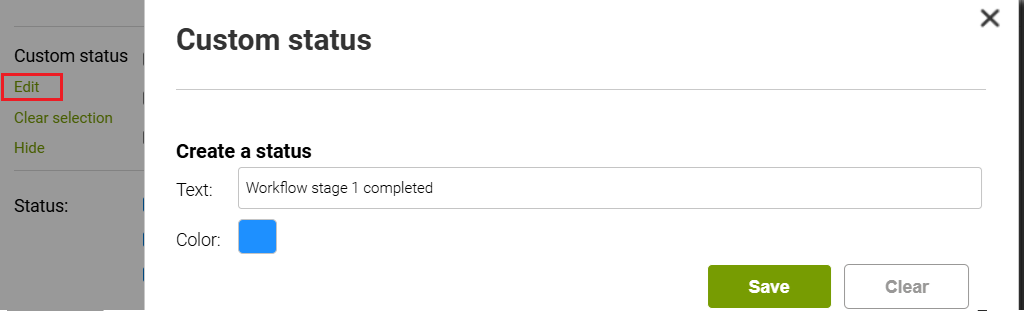
You can also create your own custom statuses by clicking the Edit link:
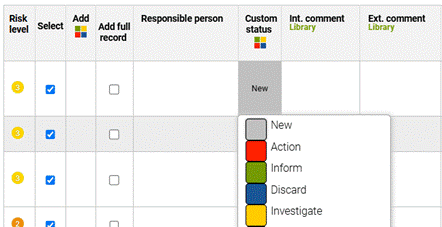
When a fresh Daily report is delivered, all results are by default assigned the status New. You can change it to one of the available custom statuses by clicking on the cell:
You still have access to a more simple Color tag column, but if no longer used, it is recommended to hide it via Custom column settings to not confuse it with Custom statuses.