
G&S AI Similarity finds trademarks with semantically similar goods and services and not just keyword overlap. Instead of matching the exact words you type, the AI understands the concept behind your description and surfaces marks whose G&S descriptions cover related products or services, even when the wording is different. For example, a search for “men’s fashion items” will surface marks describing “shirts, tee shirts, caps.”
TABLE OF CONTENTS
- Here is where G&S AI similarity feature helps
- ProSearch search form: criteria required for using the G&S AI Simiarity feature
- Adding a product description
- Adding a new product category
- Analyzing Results
Here is where G&S AI similarity feature helps
- Filtering conceptually overlapping marks that keyword search pushes far ahead in ranking like synonyms, broader or narrower terms, paraphrases, and real-world product categories that don’t map 1:1 to G&S vocabulary.
- Reducing the number of separate keyword queries needed to cover a product space.
- Surfacing marks whose G&S use industry-specific or unfamiliar terminology.
- Working across multilingual databases, for instance, non-English G&S records are automatically translated to English (any → en) before similarity is computed, so coverage is consistent regardless of the source filing language.
Good to know: Conceptual similarity is not the same as legal similarity; results are a relevance ranking to review, not a legal opinion.
ProSearch search form: criteria required for using the G&S AI Simiarity feature
Begin in Standard or Basic mode. Select your databases and enter the trademark name. The other fields (including classes) are optional.
After that, open the Goods and Services pop-up menu and switch to 'AI Matching' mode.
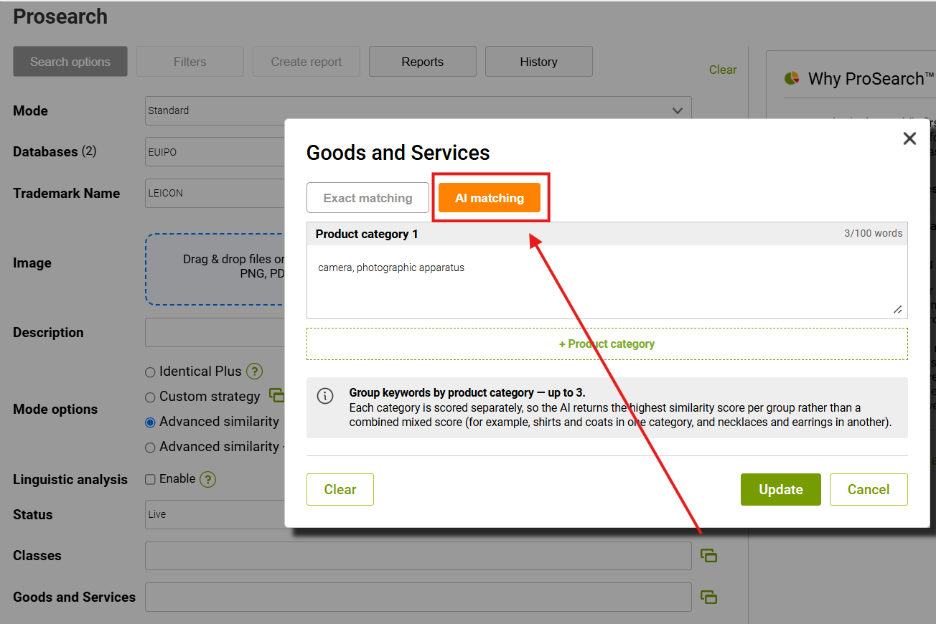
Good to know: This feature is implemented ONLY for TM search and is not yet available for image/design search.
The search flow with G&S AI parameters listed is as follows:
1. ProSearch applies all your standard filters first (databases, status, classes, and so on).
2. The filtered candidate set is passed to the AI for G&S similarity scoring.
3. The AI returns the most semantically similar matches from that set of candidates.
Setup | Behavior | When to use |
With classes entered | The AI only scores marks within the selected Nice classes. Faster and narrower. You may miss marks filed in unexpected classes. | You already know the relevant classes and want focused results. |
Without classes | The AI scores across all classes in the selected databases. Broader; surfaces marks in adjacent or unexpected classes. | You want maximum coverage, or you are exploring a new product space. |
Adding a product description
Be concise — aim for 5 to 20 words per category. Short, focused descriptions produce the sharpest matches. Long descriptions dilute the signal because the AI averages over everything you wrote.
Stick to one concept per category. Mixing unrelated products in the same box (“shirts and incense and software”) creates a conflicting signal — the AI tries to match all of them at once and ends up matching none of them well.
Use plain, real-world product language. You don’t need to write in formal Nice-class vocabulary — phrases like “men’s fashion items,” “yoga mats and exercise equipment,” or “online tutoring services” work well.
Avoid filler words such as “various,” “all kinds of,” or “and related products.” They add tokens without adding meaning.
Recommended | Not recommended |
mens fashion items | clothing and accessories and various related lifestyle products for men women and children
Too long; too generic. |
allergy tablets, allergy relief medication | medical stuff
Too vague to produce a focused match. |
Online language tutoring services | Tutoring, t-shirts, and software
Mixed concepts - split into separate categories. |
Adding a new product category
You can add up to 3 product categories per search by clicking + Product category in the AI matching pop-up.
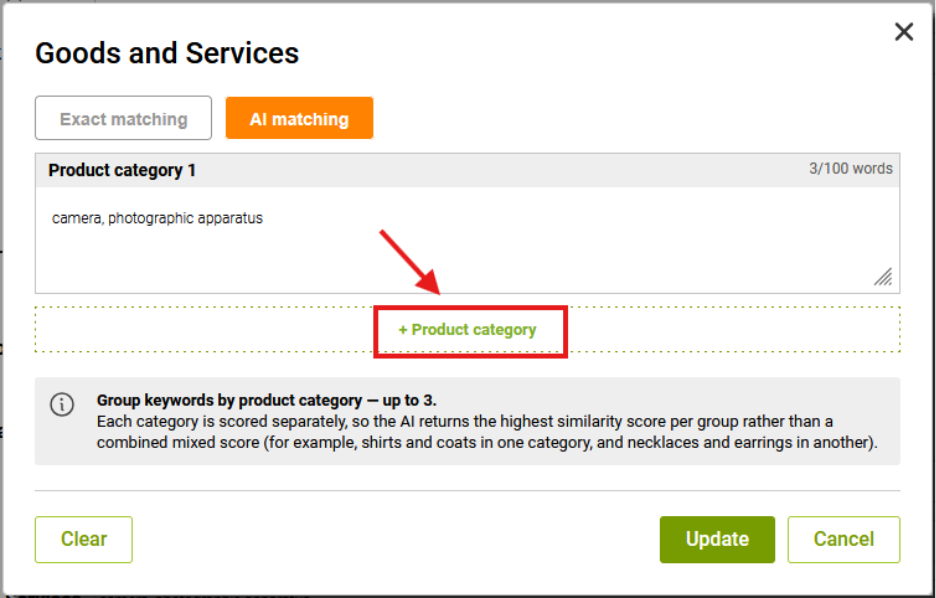
Why separate your description into product categories?
Each category is scored independently, and the AI returns the highest similarity score per category rather than blending them into one mixed score. This matters when your search covers more than one type of product.
For example, if a brand sells both apparel and jewelry:
Avoid Putting everything in one category — the AI averages across apparel and jewelry concepts, weakening matches for both.
Category 1: shirts, coats, necklaces, earrings
Try Splitting by concept — the AI returns marks that strongly match either concept, and a result strong in one category isn’t penalized for being weak in the other.
Category 1: shirts and coats
Category 2: necklaces and earrings
If your product range spans concepts, you would describe in different sentences, split them into different categories.
Analyzing Results
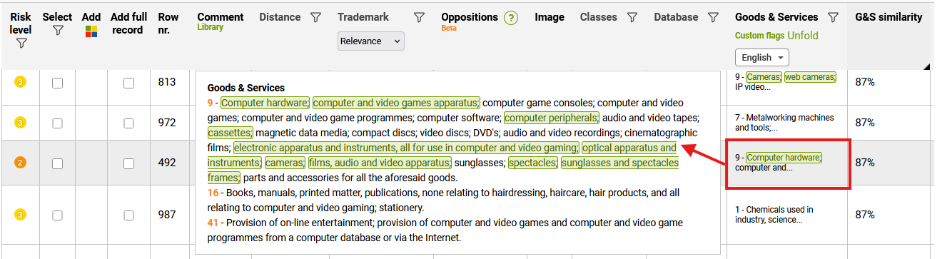
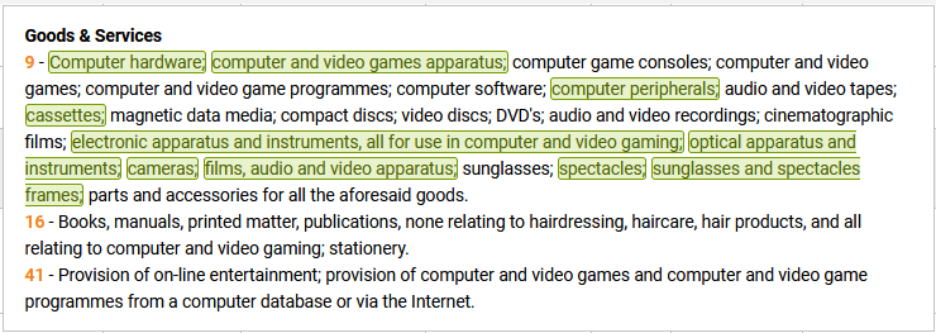
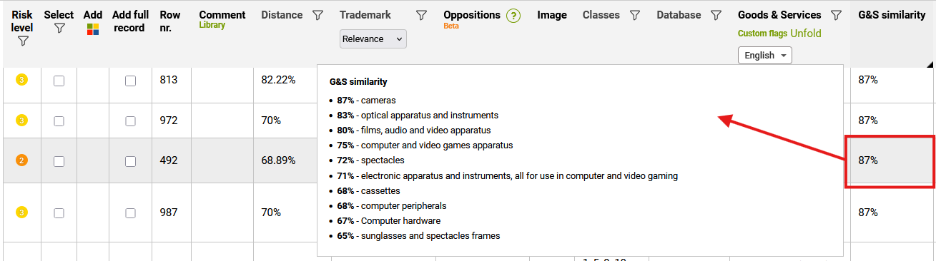
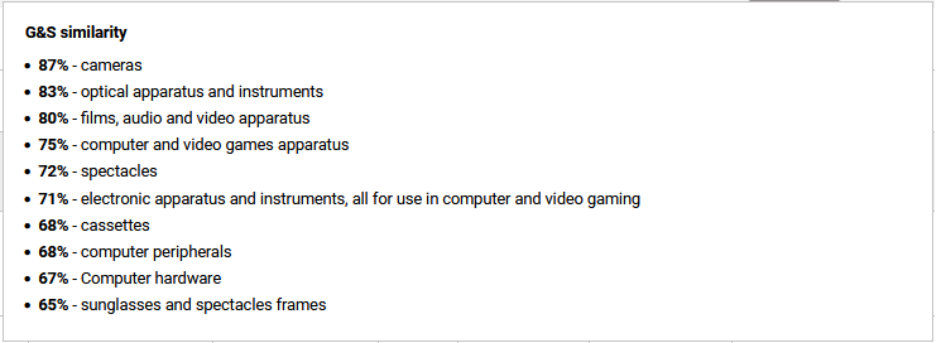
The matched wording is highlighted inside the Goods and Services text. Hovering over the G&S similarity score reveals each matched phrase with its own score, strongest first. The score tells you which segments of the matched mark’s G&S description the AI considered semantically close to your query, and how strong each match was. The overall G&S similarity score shown in the column is the strongest segment match.
If you do not have access to this feature, please talk to your account manager about activation.