
You can now save the specific spellings into the "Ignore" list directly from your report—either entirely, or only when they appear together with a particular owner name. This gives you precise control over recurring, unwanted matches that clutter your reports and consume valuable review time.
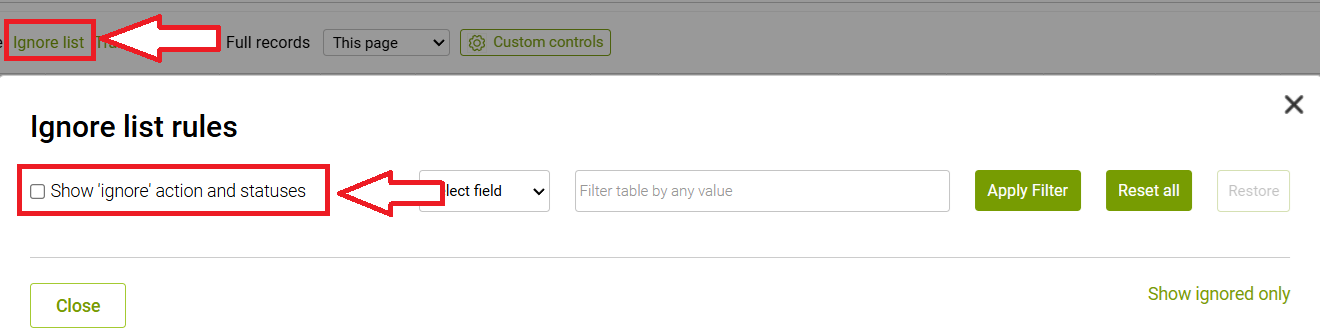
To enable this option, please click on the green Ignore list link above your results section, and tick the ''Show 'ignore' action and statuses'' checkbox:
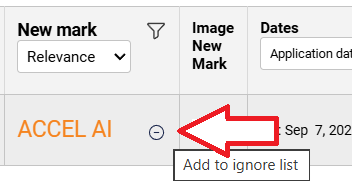
When the feature is enabled and you place your mouse over the results, there is an icon that looks like a minus in a circle, that opens the Ignore list menu:
There you can choose between the two options:
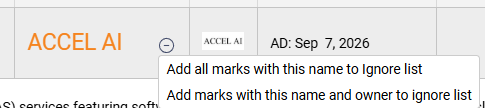
-Add all marks with this name to Ignore list will assure that no new trademarks with this name are reported into the main results list anymore
- Add marks with this name and owner to ignore list will only exlude the same TM if the owner name also matches, e.g. only Ignore PEPSI if it's owned by PepsiCo
Once a trademark spelling is blacklisted, the adjustment applies to all your reports: current, previous, and future.
Your watch results will increasingly reflect your individual review logic, allowing you to work with a cleaner, more curated set of results week after week.
For full transparency and flexibility, you also have access to an overview of all blacklisted entries:
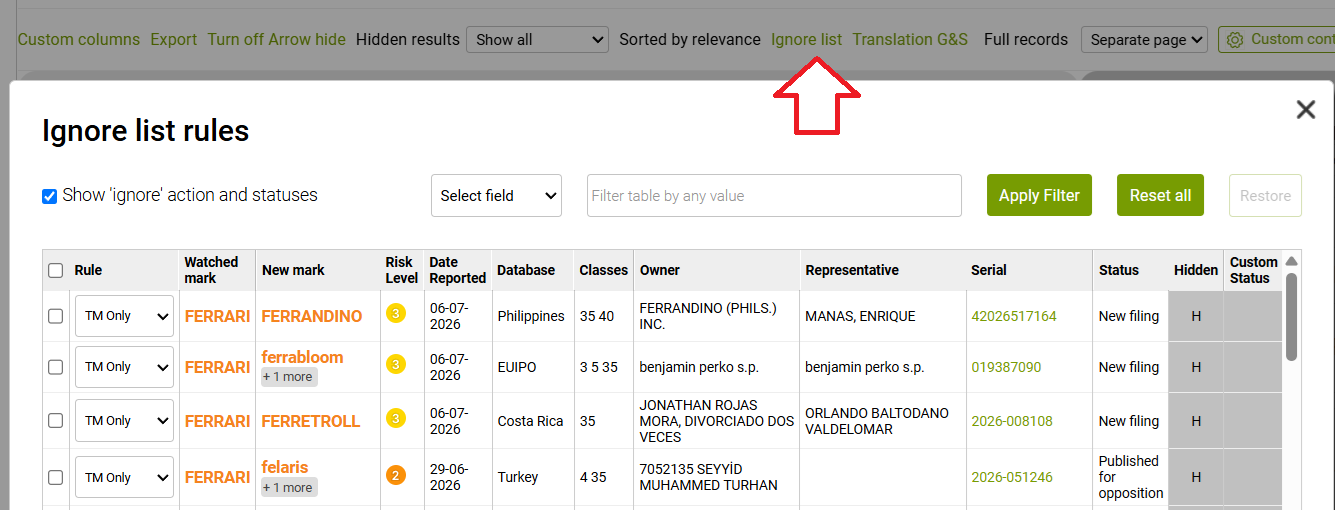
The example above shows you that for example, FERRAVBLOOM result has been, in fact, added to the Ignore list twice: you instantly see the first entry, and upon clicking +1 more, you can check the full list:

This list will keep growing, if more of the same results are detected by the algorithm, but according to the Ignore feature instruction, they will bypass the main results list and end up on this menu.
It is also possible to undo any changes from this menu - just select the necessary results, click on the Restore button, and they will be sent back to your main results list:
