The reference field can be used for specifying clients’ names, project names or reference/case numbers for your searches:

Your references are automatically saved into a library/reference history, so you may get suggestions as you start typing the reference name, based on the previously filled information:

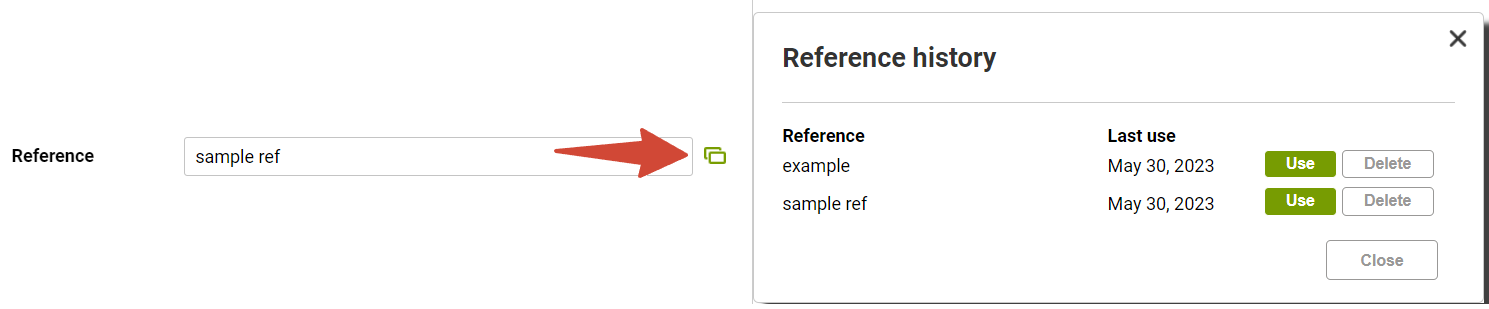
You can manage this library by clicking on the green modal window icon: it displays the full list of prevously used references so you can use one of them, or clean up the list by deleting the unnecessary ones:
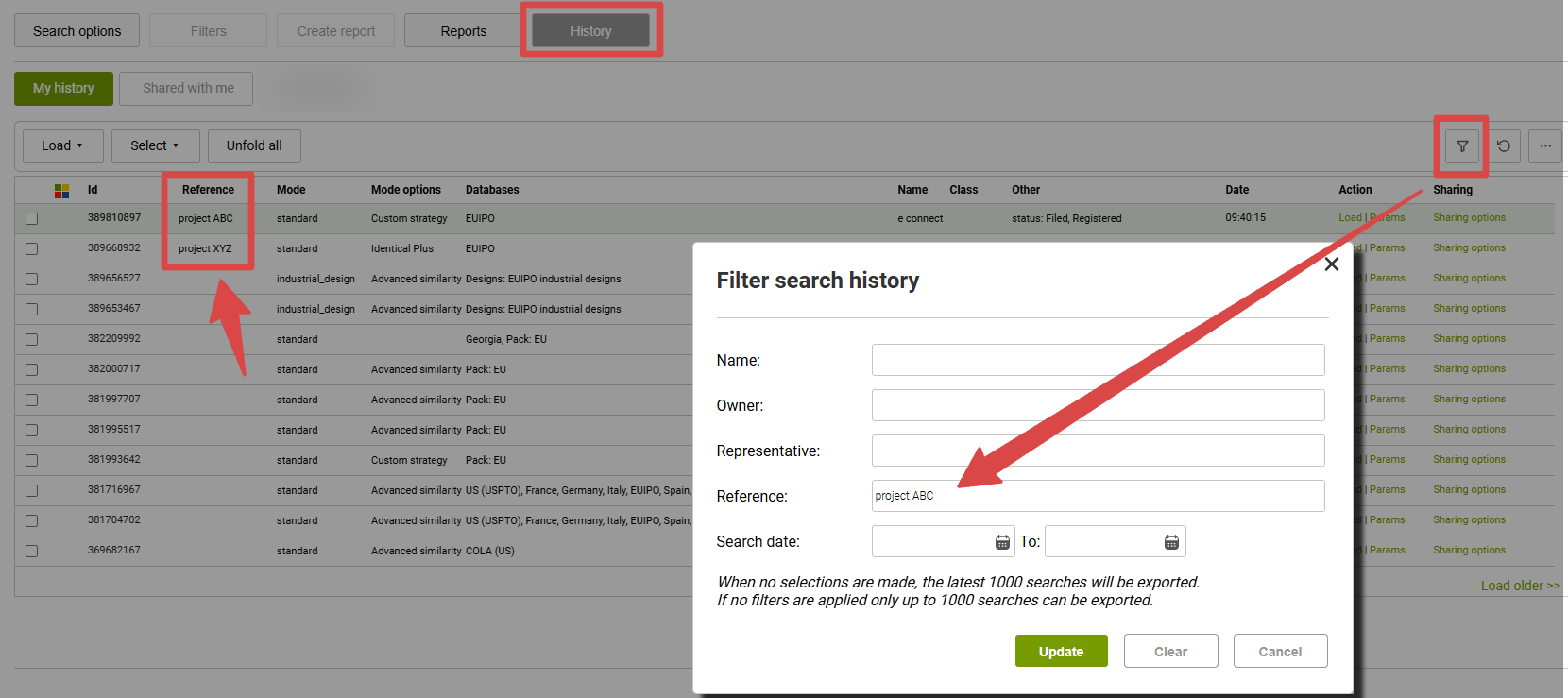
References are displayed at your Search History list and can be used for filtering, so this allows you to quickly locate the searches dedicated to a specific project or customer:
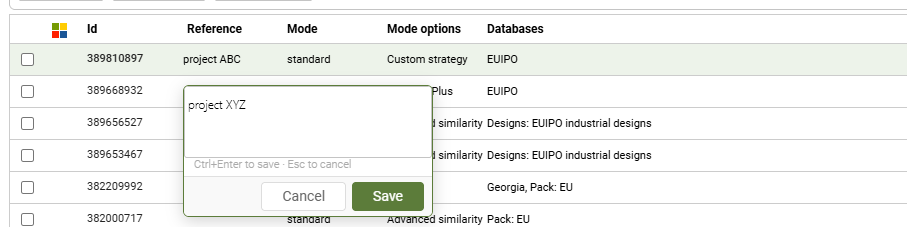
Moreover, it is also possible to add or edit references directly within the History menu - just click into the respective section and type your text: